
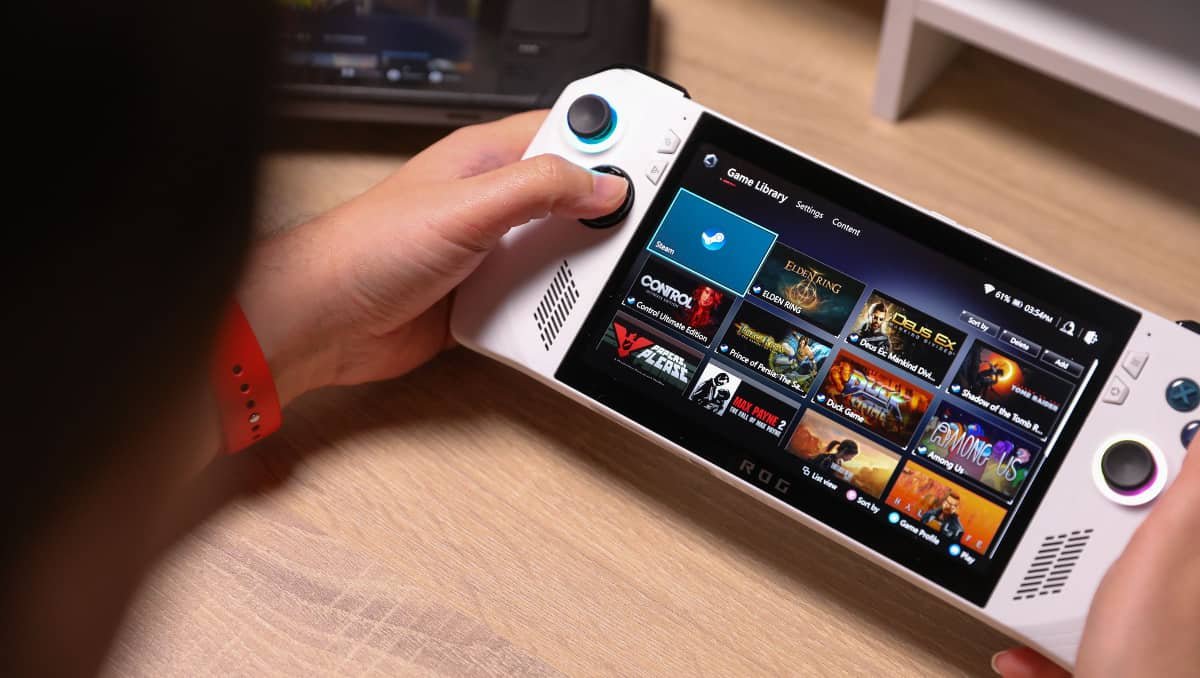
Yes — the ROG Ally can play Steam games, and it works much like a small Windows gaming PC. Here’s what you need to know:
1. Windows 11 Compatibility
The ROG Ally runs Windows 11, which means you can install the Steam app just like on any desktop or laptop. Once installed, you can log into your Steam account, access your library, and download any Steam game that works on Windows.
2. Steam Library Access
All your existing Steam games are available to play. Whether it’s action, RPGs, strategy, or indie titles, the ROG Ally can run them as long as the game is compatible with Windows.
- You can also use Steam’s Big Picture Mode, which makes navigation easier on a handheld device without a mouse and keyboard.
- Games that rely heavily on mouse input can still run, but external peripherals might improve the experience.
3. Performance Considerations
The ROG Ally is a handheld PC, so its performance depends on the game:
- Most modern games run smoothly, especially if graphics settings are adjusted for the device.
- Very demanding games may need lower resolution or reduced graphics quality to maintain smooth gameplay.
4. More than Just Steam
Since it’s a full Windows device, the ROG Ally isn’t limited to Steam. You can also install other PC game stores, like Epic Games Store, Xbox Game Pass, and GOG, giving you access to a wide variety of games beyond Steam.
✅ Bottom Line
The ROG Ally is a full Windows gaming handheld, so yes — it can play Steam games. Your existing library works, most games will run well, and you can adjust settings to get the best experience. It’s like carrying a portable gaming PC in your hands.